
Makers and engineers all over the world are using our solar panels to power their DIY microcontroller projects, but until recently no one had designed a printed circuit board and launched a successful Kickstarter campaign to make our panels even better for microcontrollers. That is until we learned that John Shovic from SwitchDoc Labs had designed the SunAir charge controller to power a Raspberry Pi from our solar panels and even highlighted our panels in his successful Kickstarter campaign!
He used our panels and his charge controller with both an Arduino and a Raspberry Pi to build Project Curacao, a weather station on the island of Curacao with real-time pictures and environmental data. This post is an overview of how he built the project, but for more detailed information feel free to check out his website if you’re inspired to replicate the project yourself.

Solar Powered Project Curacao above a beach in Curacao
Background
Project Curacao began with John’s desire for weather data and a live picture feed of a tropical island to be accessible anywhere through the internet. He monitored temperature both inside and outside of the box, luminosity, barometric pressure and humidity, and captured images of the beach below with a Raspberry Pi Camera.
He wanted the project to be self-sustaining, so he used a combination of solar panels and wind power to recharge a LiPo battery. He was already familiar with Raspberry Pi’s so that was the natural selection as the electronic backbone of the project. But when he began building the project with only a solar panel, raw LiPo battery and Raspberry Pi, he realized how difficult it was to protect the Pi board from “browning out” and damaging itself when the battery dies and power is suddenly removed. Thus after researching more on this topic and discovering an adequate solution did not exist, he felt compelled to design and build his own solution!
The results are the SunAir and SunAirPlus Charge Controllers, two elegant solutions for anyone seeking to monitor battery voltage for an Arduino or Raspberry Pi. The SunAirPlus not only regulates the power from the solar panel and charges the LiPo battery for the Raspberry Pi, it monitors the voltage and current of the solar panel and battery so that you can safely shut down the Pi when the battery capacity is too low. Additionally, it has GPIO pins for sensors and stepper motors so you can build a sun-tracking device to maximize the power generated from your solar panel, all from a single board.
Project Curacao
Before building his project, John wanted to gather as much data as possible about the equipment he’d be using and build an appropriate system accordingly to be as efficient and safe as possible. He knew that if the power were abruptly cut off from the Pi when the battery ran out of power it could damage the SD card of the Pi, so he wanted to collect as much data as possible to prevent this from ever happening. In his own words:
” The four most important parts of verifying your Solar Power Design:
- Gather real data
- Gather more real data
- Gather still more real data
- Look at your data and what it is telling you about the real system. Rinse and Repeat. “
This data included the voltage and current of the solar panels throughout the day, the voltage and current of the LiPo battery, the regulated voltage going into the Pi board, and the current consumption required by the Pi for different applications. All of this and more was displayed in a very elegant web app called RasPiConnect which not only displays your data but allows you to interact with and control the Pi board from your phone or tablet. His RasPiConnect interface is shown below.
Side Note: You can also use RaspPiConnect to control your Raspberry Pi or Arduino board as well! It not only displays data, it allows two-way communication between you and your microcontroller.

RaspiConnect interface for monitoring your battery voltage in real time
Protecting the Pi
From all of this information he learned that the LiPo battery shows 4.2V when completely full, and 3.7V when it is nearly empty. Therefore he programmed the Pi to autonomously shut itself off before the battery was completely drained, thus protecting it from a destructive “brown out”. He explains more in an article he wrote for us:
” Shutting a Raspberry Pi off is pretty easy. When the battery voltage falls below some value, you just do a ‘sudo shutdown -h now’ and your Raspberry Pi will shutdown cleanly. Note that in most solar power systems, you need to monitor the battery voltage and not the 5V power supply because with most modern voltage booster systems, the circuitry will work very hard to keep the 5V going and then just give up crashing to a much lower voltage when it runs out of power.
That means your computer would have little or no warning when the voltage is about to drop. By monitoring the battery voltage, you can tell when the battery is getting low enough and then shut down your computer safely. For LiPo batteries, this will be when your voltage gets down to about 3.7V or so. “
If you are interested in replicating this project or learning about how the Pi was actually shutdown, check out his GitHub site to download the exact code used in his project. To turn the Pi back on, it’s best to wait until the battery has had sufficient time to charge at least part of the way, so that when the Pi wakes up and the voltage of the battery is pulled down it does not trigger the same self-defense mechanism that turned the Pi off in the first place.
” When you connect a full load, you may pull the battery down hard enough to brown out the computer. This constant rebooting cycle can ruin your SD card and cause your computer to never boot at all, even when the power is restored. Arduinos are more tolerant of this, but Raspberry Pi’s do not like a ill-behaved power supply. “
Though someone may ask “If you can monitor the voltage of the battery, why not just charge the LiPo battery directly from the solar panel and add a voltage booster to safely power the Raspberry Pi? Why would you need a charge control board as a middle man between the solar panel, battery, and Pi?” Great question, allow him to explain:
” The sun doesn’t always shine the same. Clouds, dust, time of the year all influence the total amount of power available and the instantaneous voltage and current available. Since the brighter the sunlight, the more voltage the solar cells produce, the excessive voltage can damage the rechargeable batteries. A solar charger controller is used to maintain the proper charging voltage on the batteries and manage the amount of power supplied. As the input voltage from the solar panel rises, the charge controller regulates the charge to the batteries preventing any over charging. “
Environmental Data
Every single day and night the project monitored:
- Temperature (both inside and outside of the protective case)
- Barometric Pressure inside of the case
- Humidity (both inside and outside of the protective case)
- Luminosity outside of the case
The Pi was programmed to wake up 3 hours before sunrise and go to sleep 3 hours after sunset (measured with the luminosity sensor). Additionally, the Pi would wake up for 30 minutes every night to record night-time data. A RaspberryPi Camera was used to provide real-time photos to him whenever he desired.
This environmental data was tracked in real time through the RasPiConnect interface, shown below.

Environmental Data collected on the Raspberry Pi and published online
Hardware
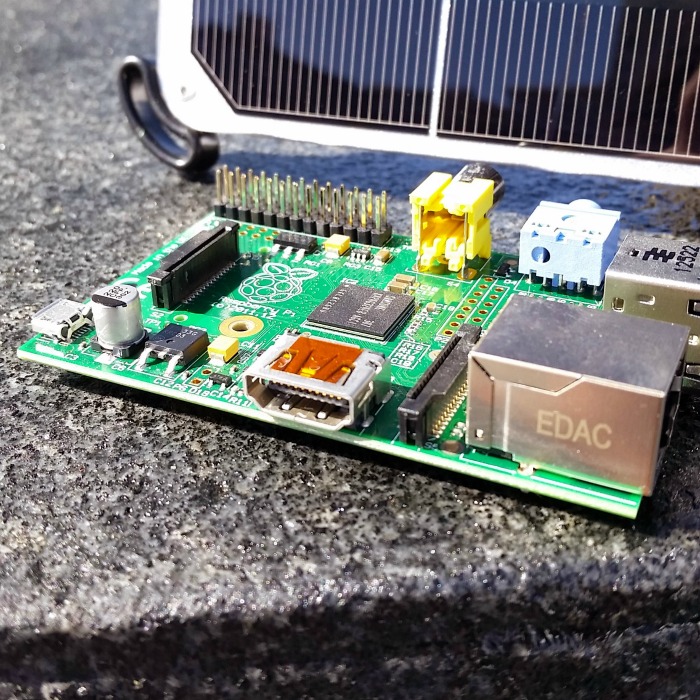
John used three Voltaic 3.5W Solar Panels to power the his Raspberry Pi Model A. Two panels generated enough power for the Raspberry Pi board, and the third panel supplied the battery with enough power for the Arduino to turned the Pi board on an off (if he did not turn the Pi board off between active uses, it would have required much larger solar panels). This sums up to a total of 10.5W worth of solar panels that continuously maintained his project in the sun for 9 months!
A separate Dual Watchdog Timer was used (also developed by SwitchDoc Labs) to accurately monitor time intervals and automatically reset the microcontrollers if necessary. Though the internal watchdog timer could have been used, John found an external board to be far more reliable:
” …the internal watchdog is disabled in the boot loader for the Arduino and the Raspberry Pi watchdog is unreliable and difficult to use…[the SwitchDoc Labs Dual WatchDog Timer] has two WatchDog Timers that can be used independently or together to reset non-responsive computers. “
The protective case also included a fan to ventilate the box whenever the internal temperature or humidity was too high. If he desired to, he was able to remotely turn the fan on by communicating through the RasPiConnect interface.

Result
All of these features were combined into one protective case and mounted on a telephone tower on the island of Curacao, shown below.
Project Curacao mounted on a telephone tower
The project successfully ran for 9 months continually, which is a fantastic testament to the quality and power of the solar panels and the quality of the engineering behind the project. Though many things could have gone wrong, and other things did go wrong (read more on his blog to learn what broke off in a wind storm!) the project as a whole was resilient and became a tremendous success.
Once again we’d like to thank John Shovic for the work he put into this project and the detailed explanations he provided for us for how to power a Raspberry Pi from solar power. Be sure to reach out to us here at Voltaic Systems if you want to build your own solar powered project or have already built one and want us to highlight it!
I am using a Pi for FlightAware at my house. I want to move the unit outside so I can get it close to the 5db gain antenna. Instead of getting AC to the unit for power, I would like to run the Pi with a battery and solar. Since the Pi is 5V I do not see anything off the shelf to do this. Do any of your projects do this and if so, where can I get the components and steps to do it?
Hi Don – unless you put the Pi to sleep, it will be hard to do unless you get a panel in the 30 – 60 Watt range plus a pretty big battery (200 – 300 Watt hours). The Pi often takes about 0.5A which translates to 2.5 Watts or 60 Watt hours per day. Being relatively pessimistic, we assume that you’ll only get two hours of sun a day and will need to run for five days or more without any sun at all. We don’t over anything at this scale for now.