
Voltaic’s V25, V50, and V75 added USB-C input output function to its batteries to support faster charging and bringing them in line with other battery packs on the market.
Voltaic’s 5V Always On feature remains, but the pins for reading the battery charge level have changed on the USB-C port.
Primary V25/50/75 Design Updates
20W USB-C Power Delivery
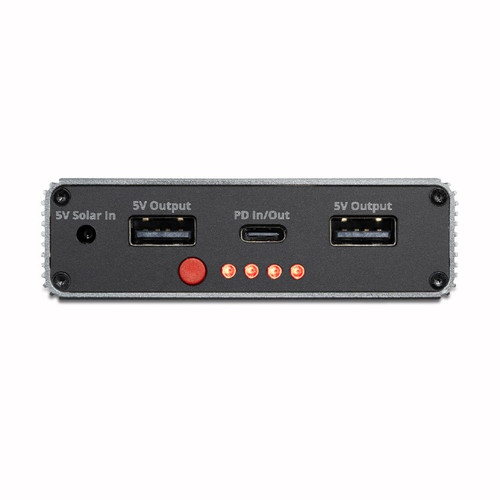
As most new personal devices (e.g., phones, tablets, eReaders, and smart watches) are compatible with PD charging, our batteries will now deliver and receive 20W PD power from the top USB-C port to compatible devices. This is not an “Always On” port. See Always On section below.
Reading Battery Charge Level
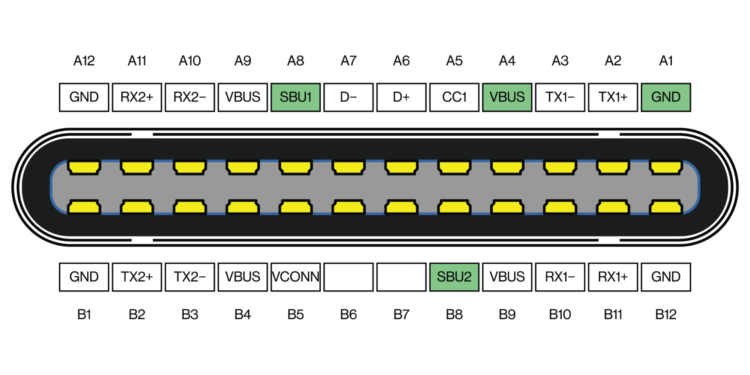
The charge level of our batteries can still be read from the USB-C port at the top of the unit, but the pins have changed.
Previously, the voltage between the D+ and GND pins correlated to ½ of the voltage level of the battery cells. However, because the D+/D- pins are necessary for PD power delivery, the cell voltage reading will switch to the A8/B8 SBU pins. The SBU pins still correlate to ½ of the cell voltage, so while the battery cell voltage ranges from approximately 3.2V (empty) to 4.2V (full charge), the corresponding SBU pin voltage ranges from 1.6V to 2.1V. We recommend that customers currently reading the cell voltage from the D+ pin make the necessary hardware changes to read from the A8/B8 SBU pins.
For customers looking for a USB-C breakout board for SBU pin access, Adafruit has a simple board. If your USB-C cable has a pull-down resistor on the SBU pins, then it could change your results and the Saiko male board below is a better solution.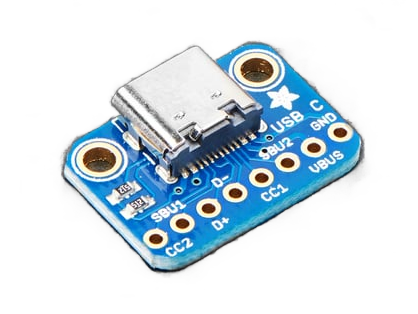
For customers looking for a more comprehensive breakout, Saiko Systems has full USB-C breakout boards.
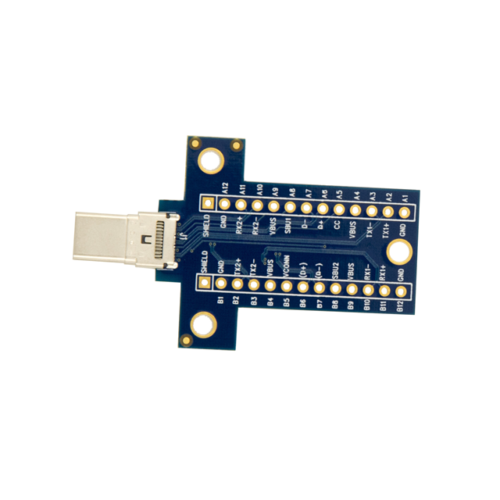
Treedix also offers an option with terminal blocks for easier wire attachment.
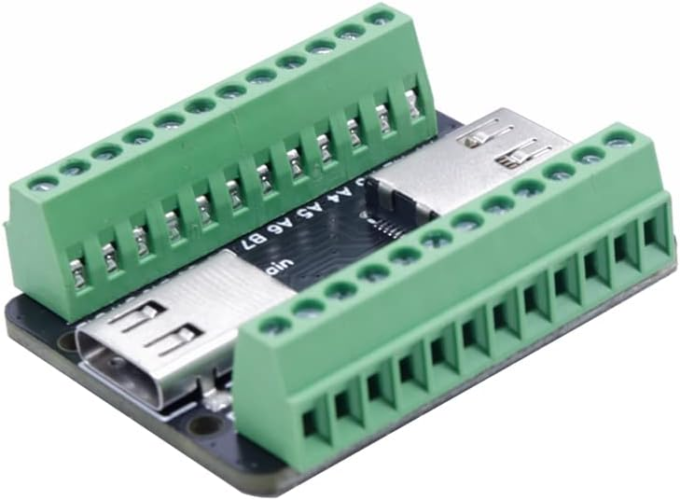
Additionally, because the A8/B8 pins are less common for charging and data transfer, they are only wired in USB-C 3.1 and 3.2 cables. We recommend these models of USB-C cables to any customers looking to read the battery charge level.
Activating 5V Always On
The two USB-A ports function the same. Connecting a USB-A cable activates a mechanical switch, which puts the battery into Always On mode. Removing the cable puts that battery into Auto Off mode.
If you supply power into the battery via the top USB-C PD port, the Always On function of the USB-A ports is deactivated. We recommend using the side port for power input in any Always On application.
Updating Solar Input Port to USB-C
The solar input port on the side of the battery has been switched from a micro USB to USB-C. This switch standardizes the input and output formats.
USB-C PD for the V25 is good news! Is it already available?
We have a few hundred V25s in reserve with this feature while we sell through the previous version, but the same caveats apply. The USBC PD port can’t currently be used as an input for Always On. For Always On mode, you need to charge from the side port. You can output from either the USBA ports or (pending) the UsBC port with a special cable – however, that output won’t be PD.
When is this going to be implemented? Can I already order an updated V75 battery?
V75s are available with some caveats. The USBC PD port can’t be used as an input for Always On. If you’re charging the battery from PD and using the USBA for output, you will see some power cutoffs. For Always On mode, you need to charge from the side port. You can output from either the USBA ports or (pending) the UsBC port with a special cable – however, that output won’t be PD.